Send the stream
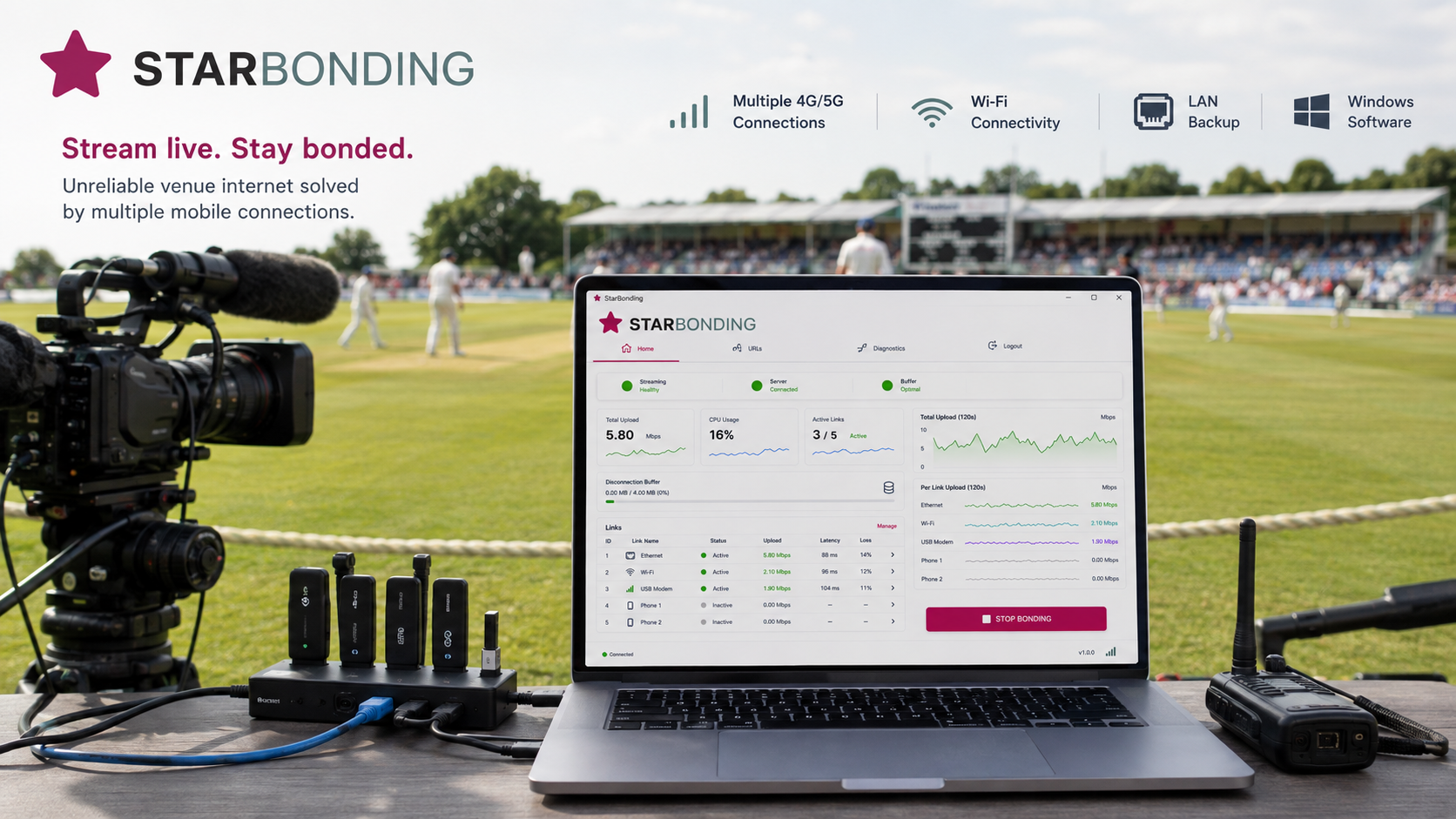
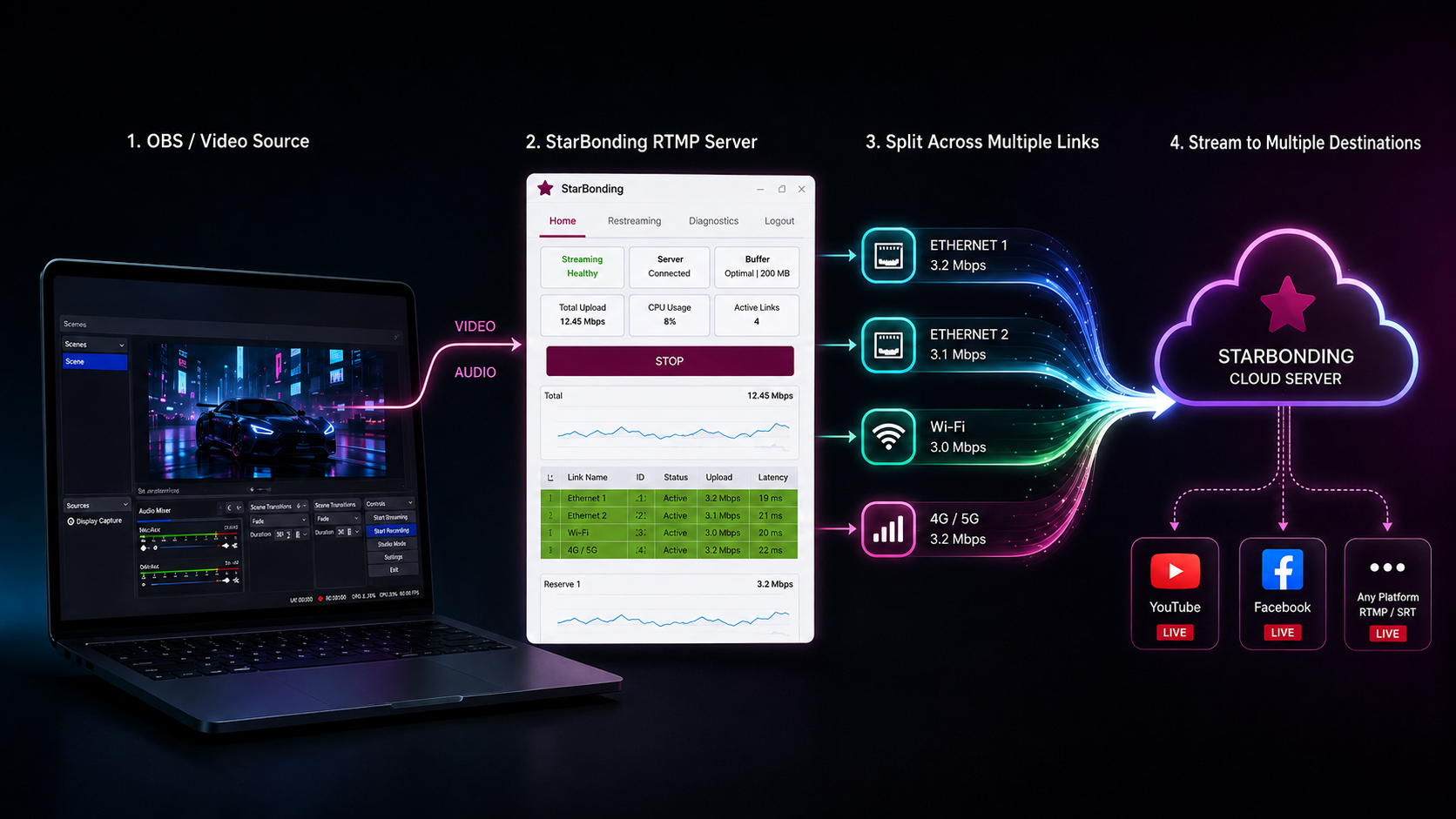
OBS, vMix or another Windows production application sends the live stream to StarBonding running on the same computer.

Windows network bonding for live streaming
Bond Ethernet, Wi-Fi, multiple 4G/5G modems and phone links on Windows. Keep OBS and other streaming applications connected through unreliable venue Internet.
Free trial through 31 December 2026: Register and use StarBonding for Windows throughout the extended trial period.
Already registered? Login to your account
How StarBonding works
OBS, vMix or another Windows production application sends the live stream to StarBonding running on the same computer.
StarBonding distributes the streaming packets across Ethernet, Wi-Fi, USB 4G/5G modems, mobile hotspots and tethered phones.
StarBonding servers reconstruct the stream and send it to the configured YouTube, Facebook, RTMP or RTMPS destinations.
For more than four years, our network bonding engine has powered professional live-streaming hardware used by event and sports production teams across India. The same field-tested engine is now available as StarBonding for Windows.
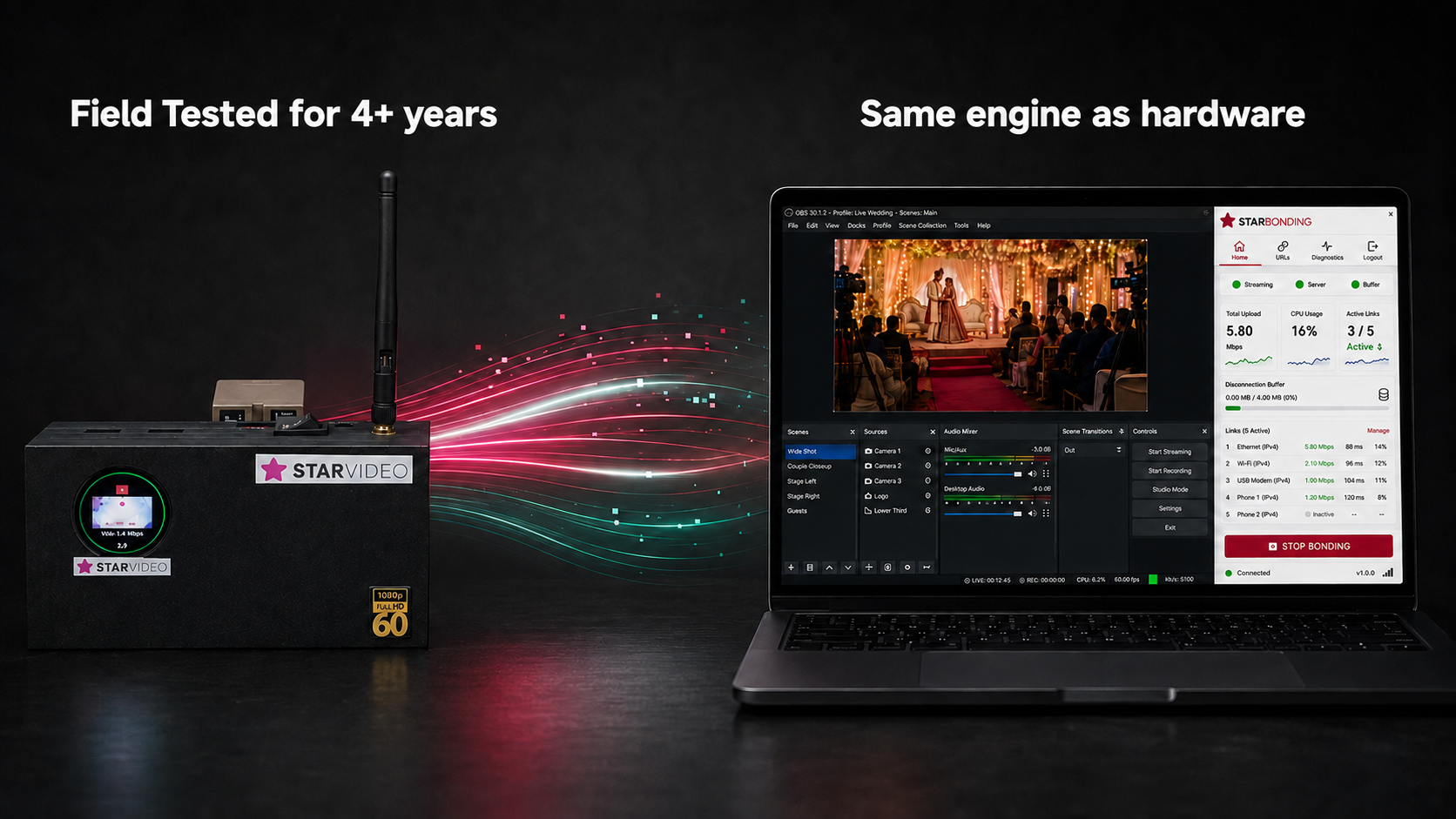
Designed for smoother Windows streaming
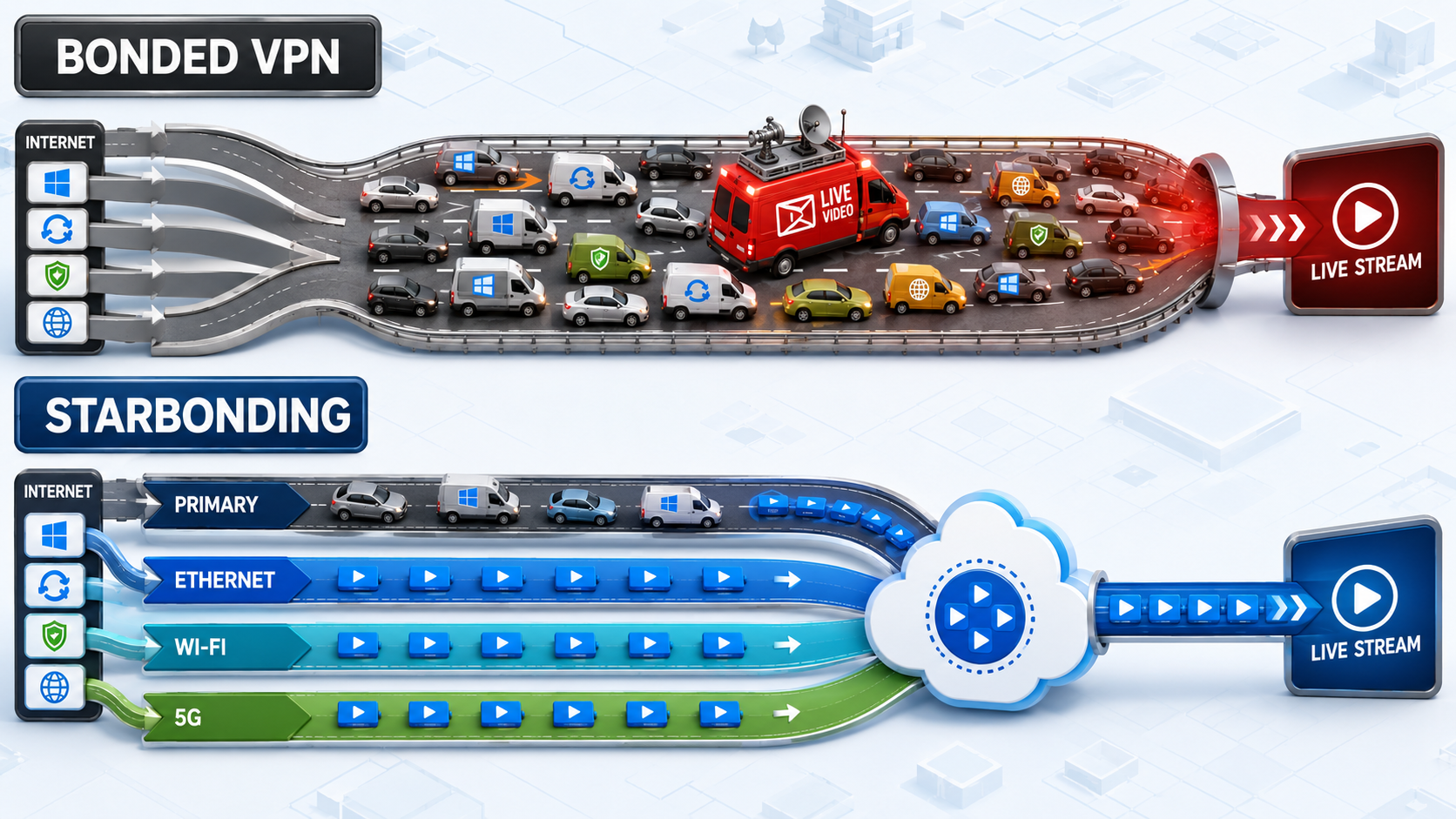
A traditional bonded VPN sends the entire Windows Internet connection through the bonded tunnel. Your live stream must then compete with Windows Update, software downloads, cloud synchronization, browsers and other background traffic.
StarBonding is designed specifically for live streaming. Normal Windows traffic continues through the primary Internet connection, while StarBonding sends video packets across every available connection—including the primary connection.
If other Windows activity begins consuming the primary connection, StarBonding automatically reduces the streaming load on that link and uses the remaining Ethernet, Wi-Fi and 4G/5G connections more heavily.
The result is more predictable bandwidth and a more stable live stream under real-world conditions.
Everything in one workflow
StarBonding combines network bonding, link monitoring and multi-platform restreaming in one Windows application that works alongside your existing production software.
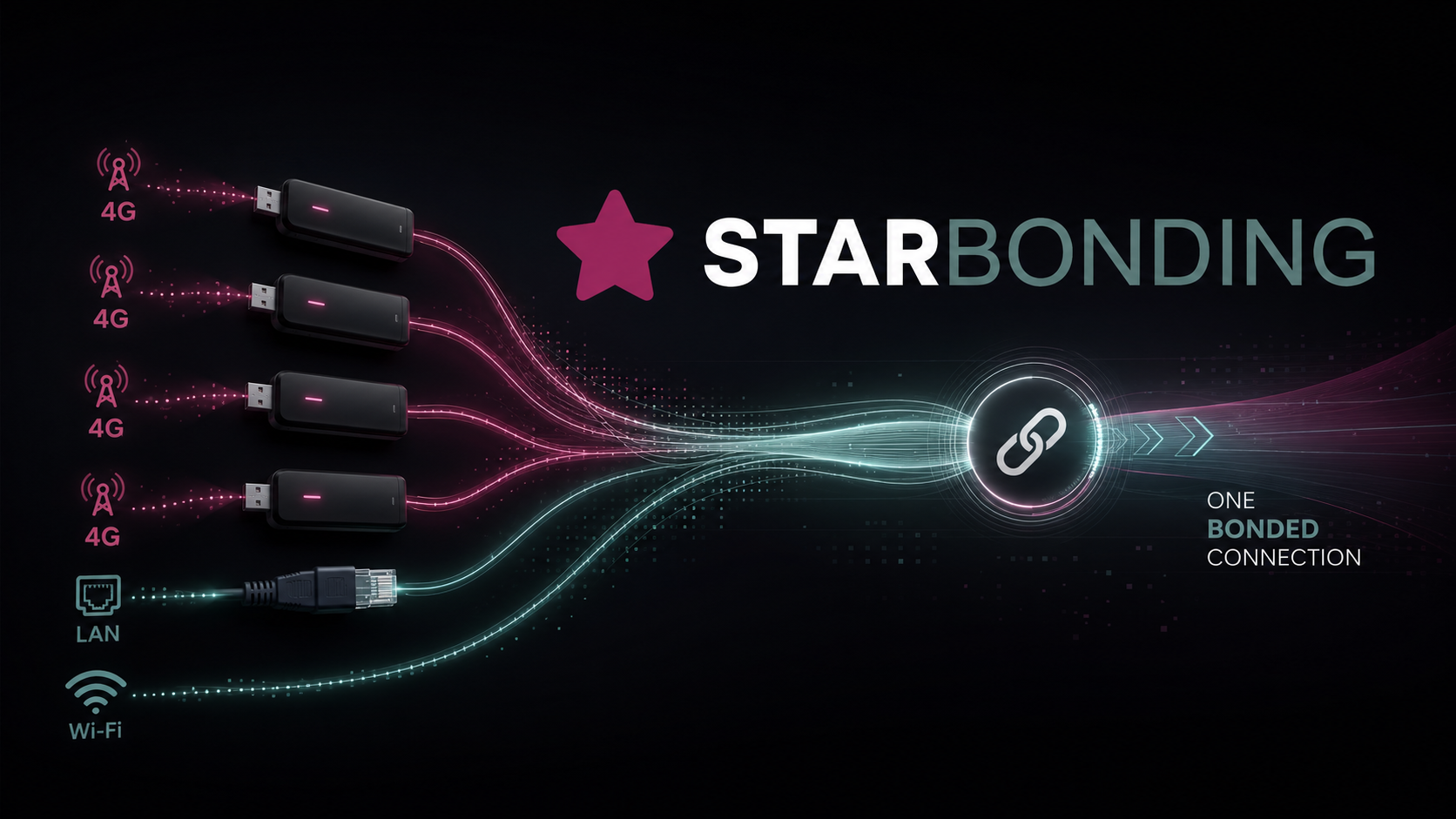
Use Ethernet, Wi-Fi, USB mobile modems and tethered phones together.
Run StarBonding beside OBS and continue using your established production workflow.
See upload bandwidth, latency, packet loss and transferred data for every link.
StarBonding shifts streaming traffic to available connections when a local Internet link degrades.
Monitor the built-in buffer used during short interruptions and reconnection.
Streaming, server and buffer states remain visible from the main dashboard.
Configure and independently start or stop supported streaming destinations.
Identify local link, server and streaming problems without guessing.
Download, install, sign in and start bonding from the same application.
Major feature · Network bonding
StarBonding is software, not a separate bonding appliance. Connect your available networks to the Windows computer and let StarBonding carry the streaming traffic over them.
Major feature · Multi-platform restreaming
Send the incoming live stream to the destinations configured in your account. Manage destination URLs from the Windows application and start or stop them independently.
Two markets. One streaming standard.
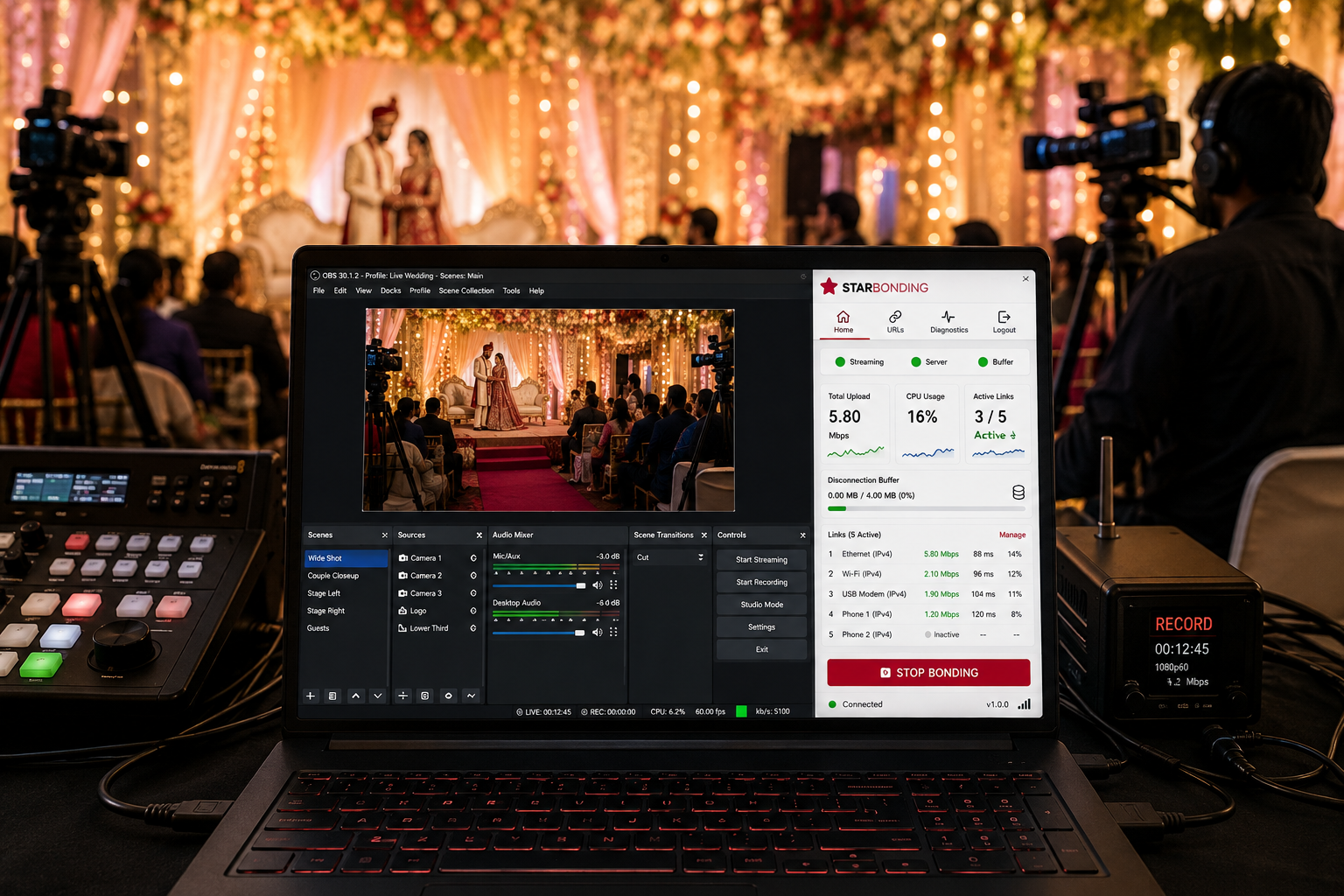
Use multiple mobile and venue connections while OBS handles the production.
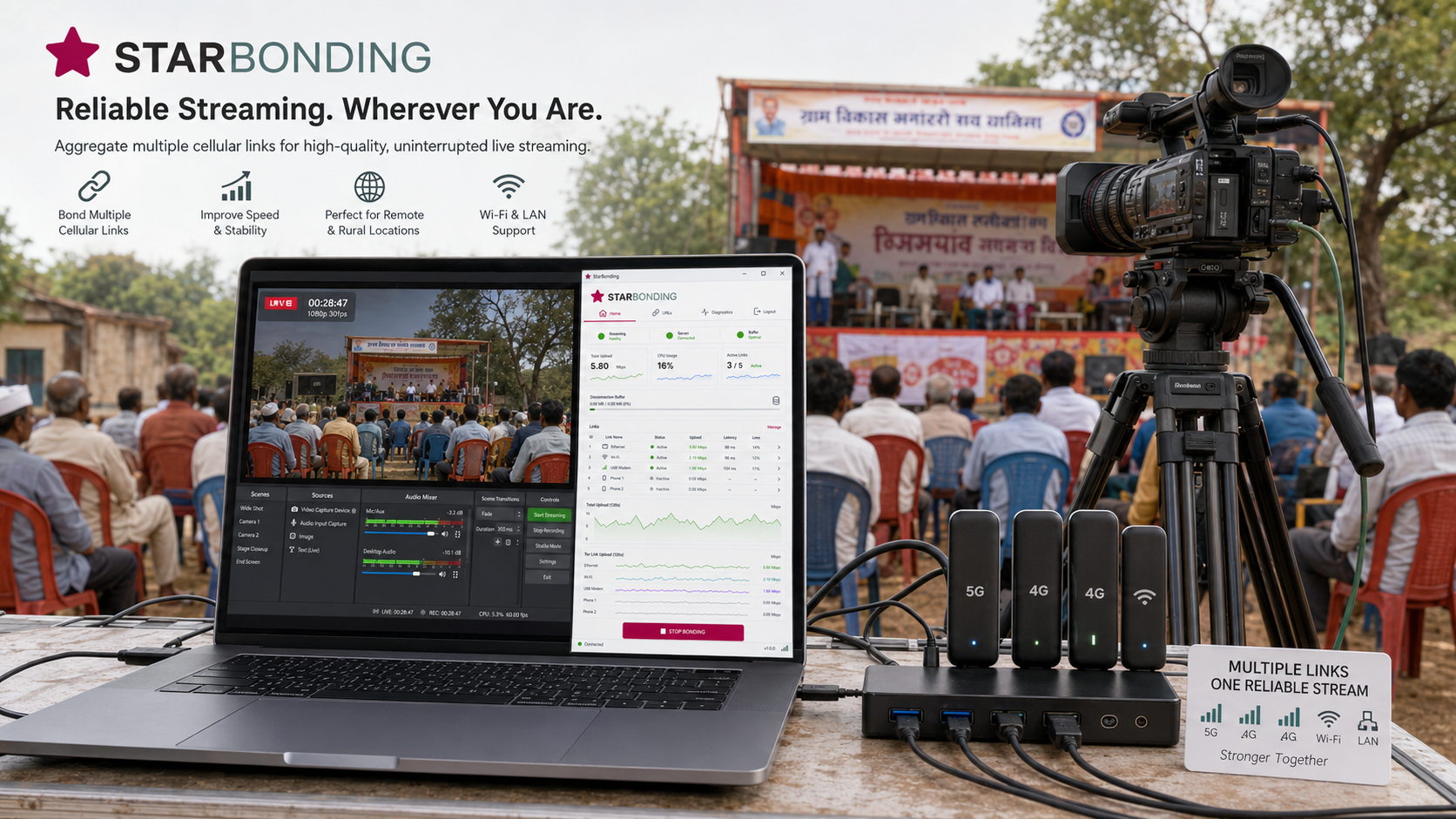
Suitable for rural events, rallies, construction sites and temporary outdoor venues.
Inside the Windows application
Sign in, start bonding, monitor each connection and manage restream destinations from one application.
Click a screenshot to enlarge it. Swipe or use the arrow buttons to see more.
Watch the application in action
This walkthrough explains the complete StarBonding workflow, from signing in and starting network bonding to monitoring links and configuring restream destinations.
Before you install
StarBonding runs on the same Windows computer as the live-production workflow. Network devices must be installed and visible to Windows as working Internet connections.
Compatibility note: StarBonding works with Windows network adapters. A modem or hotspot is usable when Windows recognizes it and it provides Internet access.
Choose your StarBonding access
Register once, get a free trial through 31 December 2026, download the Windows application and choose a plan based on the number of restream destinations you need.
| Plan | Restream Destinations | Validity | Price | Get Started |
|---|---|---|---|---|
| Free Trial | 2 | Through 31 Dec 2026 | Free | Register |
| 2 Restreams | 2 | 30 Days | ₹600 | Register |
| 2 Restreams | 2 | 180 Days | ₹3,000 | Register |
| 5 Restreams | 5 | 30 Days | ₹1,000 | Register |
| 5 Restreams | 5 | 180 Days | ₹5,000 | Register |
Taxes, payment terms and fair-usage conditions, where applicable, are shown during registration.
Frequently asked questions
Clear answers about bonding, redundancy, restreaming and using StarBonding with an existing Windows production workflow.
StarBonding is a Windows network-bonding and restreaming application for live video. It uses multiple Internet connections and works alongside production software such as OBS and vMix.
The free trial provides access through 31 December 2026. You can restream to two destinations and test StarBonding features including per-link monitoring, the disconnection buffer and live diagnostics.
No. StarBonding runs on an existing 64-bit Windows 10 or Windows 11 computer. For bonding, connect at least two Internet links such as Ethernet, Wi-Fi, USB 4G/5G modems, mobile hotspots or tethered phones.
Yes. StarBonding runs alongside OBS Studio, vMix and other Windows streaming software. Your production workflow stays the same—StarBonding handles the network layer.
Yes. Multiple independently capable connections provide redundant paths. If one link fails or slows down, the remaining active links can continue carrying the stream when they have sufficient capacity.
StarBonding automatically routes traffic through the remaining connections within seconds. The built-in disconnection buffer protects against short interruptions while reconnection happens. The remaining links must have enough capacity for the configured bitrate.
Yes. The free trial and 2 Restreams plan support two destinations, such as YouTube and Facebook. The 5 Restreams plan supports five destinations.
At a 4 Mbps upload bitrate, approximately 1.8 GB is used per hour, 3.6 GB in two hours and 5.4 GB in three hours. Actual use varies with the configured audio and video bitrate. For regular use, an unlimited plan is more cost-effective than the trial.
We accept UPI, credit and debit cards, and net banking. Available payment options are shown during registration.
Yes. Bonded traffic is encrypted between your Windows computer and StarBonding servers.
Yes. After the trial expires, purchase any available plan from your account dashboard and continue using StarBonding immediately.
Payments are non-refundable except as provided in our Terms of Service or required by applicable law.
OEM & DEVELOPERS
Add multi-network live-streaming capability to your Windows application without building the bonding layer from scratch. Keep complete control of your interface, branding, workflow and customer relationship.
starbonding-cli.exe is StarBonding's standalone native Windows command-line client. Launch it as a child process, pass credentials securely, wait for its ready event and publish a local RTMP stream into it.
It handles the bonded transport underneath your product by combining Ethernet, Wi-Fi, 4G/5G and tethered connections. Monitor its structured events, control its lifecycle and keep your own interface, workflow and branding.
The executable may be integrated, packaged and redistributed with personal, commercial and OEM applications.
The official StarBonding Windows GUI source is available under the MIT License. Study its CLI process supervision, event handling, JSON consumption and adapter diagnostics, then modify it, rebrand it or use it as the foundation for your own application.
Runnable CLI and Partner API sample code is provided for C, C++, C#, Go, Java, Node.js, PHP, PowerShell, Python and Ruby, so your team can start from a working integration in the language that fits your backend or Windows product.
Use the Partner API from your protected backend to list services, create and renew managed customer accounts, check wallet balance and reconcile transactions with idempotent retries.
Keep account provisioning and billing inside your own product and customer relationship. The bonding service requires an active StarBonding service account, while your application controls the operator experience.
Start with the API reference and the ready-to-adapt examples for PHP, Python, Node.js, Go, Java, C# and other common integration environments.
StarBonding CLI integration and redistribution are permitted. Bonding requires an active StarBonding service account. Volume partner pricing provides discounts of up to 66%.
Integration support: support@starbonding.com
StarBonding for Windows
StarBonding runs on the Windows production computer alongside OBS or another streaming application. It uses the Internet connections already available to that computer and provides one place to start bonding, monitor every link and manage restream destinations.
The application is designed for event operators, sports broadcasters, institutions and field teams that cannot depend on a single venue Internet connection.
Start with the Windows application
Register your account, receive free trial access through 31 December 2026, install StarBonding and test it with your existing streaming setup.
ST-90 COMPATIBLE
Built for professional mobile live streaming.
StarBonding combines the available Internet connections on your Android device—including mobile data, 4G/5G dongles, Wi‑Fi and Ethernet where available—into one reliable bonded path for live video. Start bonding, monitor every link, and manage restream destinations from the application.
₹6,500 per year · Unlimited bonded data